Evite: A Complete Guide to Online Invitations
Evite is a digital invitation and event-planning platform that helps people organize gatherings, invite guests, and manage responses without relying on printed cards or endless group messages. Whether you are planning a birthday party, baby shower, wedding celebration, family dinner, or office event, Evite provides tools to create invitations, share event details, and track RSVPs in one place. Understanding how the platform works, which features are free, and when premium options are useful can help you decide whether it suits your event.
Planning a gathering involves more than choosing a date and sending an invitation. Hosts must communicate the location, estimate attendance, follow up with guests, and keep everyone informed when plans change. Digital invitations simplify these tasks by bringing important information together in an accessible format.
This guide explains how the platform works, how to create and send an invitation, what features to consider, its main advantages and limitations, and how to use it effectively for different occasions.
What Is Evite?
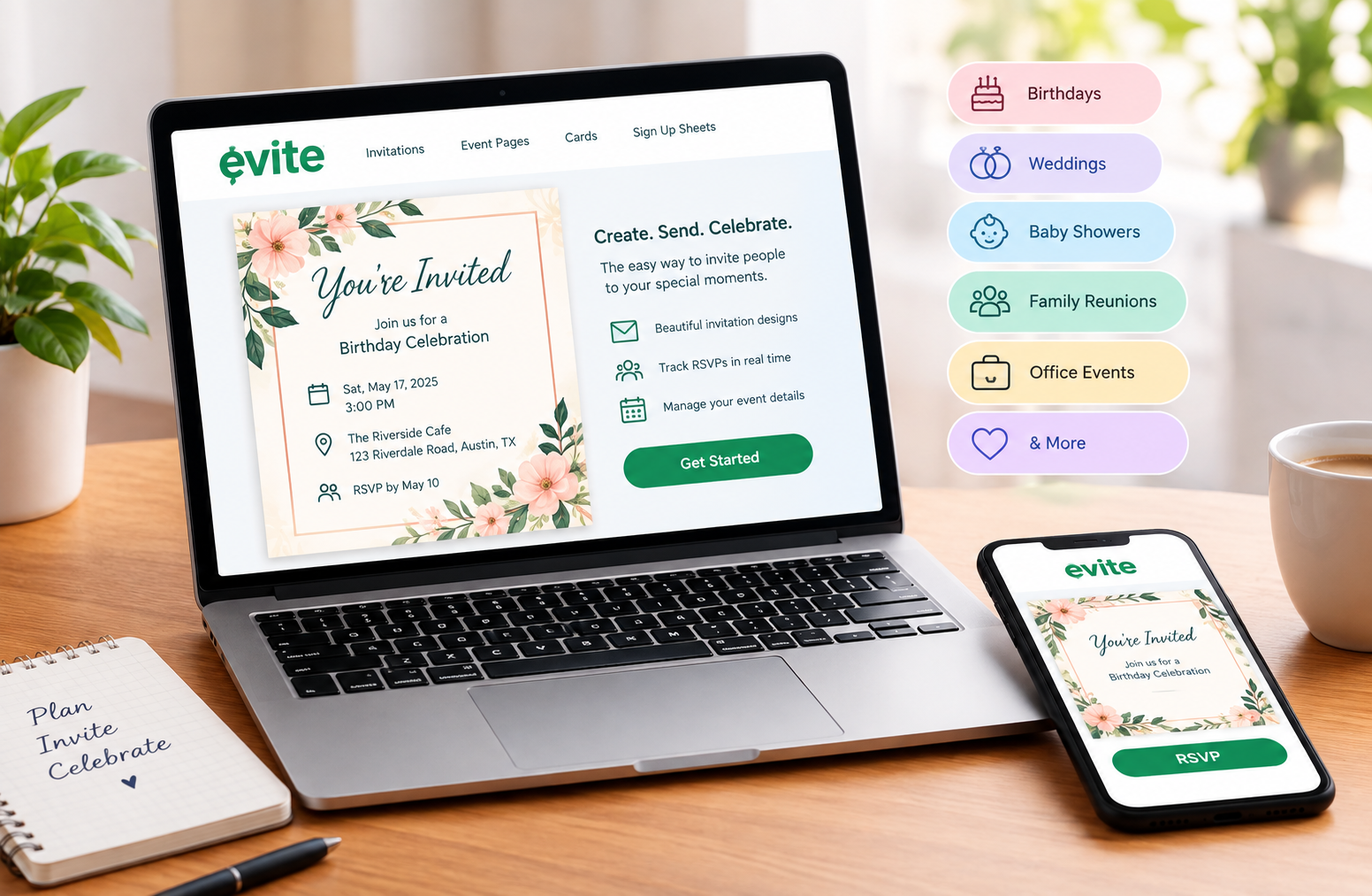
Evite is an online invitation and event-planning service designed to make hosting easier. It allows users to create digital invitations, personalize event information, distribute invitations electronically, and manage guest responses.
The service launched in 1998 and became known for replacing traditional paper invitations with online alternatives. Today, its offering extends beyond invitations to include casual event pages, digital greeting cards, and sign-up sheets for coordinating event-related tasks.
Evite
+1
The central idea is simple: instead of managing invitations, attendance lists, and event updates across several separate conversations, hosts can use a dedicated online page to keep essential information organized.
For example, someone planning a birthday party can choose a design, add the venue and start time, invite friends, and monitor responses. Guests can review the details and indicate whether they plan to attend.
The exact tools available depend on the product and invitation type selected. Some designs and features are free, while premium options offer additional customization.
Who Should Use Evite?
The platform may be useful for:
- Individuals planning birthday parties, anniversaries, or family gatherings.
- Parents organizing children’s parties and school-related celebrations.
- Couples coordinating wedding-related events and showers.
- Friends arranging dinners, game nights, and holiday parties.
- Businesses organizing office celebrations, networking events, and staff gatherings.
- Community groups coordinating meetings, fundraisers, and volunteer activities.
It is particularly useful when the host needs a clear guest list and a simple way to collect attendance responses.
However, not every event needs a dedicated invitation service. A small gathering with three friends may require only a text message. The value increases when attendance tracking, event updates, design, or guest coordination becomes more important.
How Evite Works
The platform follows a straightforward process: select an invitation format, enter the event information, choose how to share it, and manage responses as guests reply.
The most important decision is choosing the right format for your gathering. A casual dinner with friends does not need the same features as a formal wedding shower or a large corporate celebration.
1. Choose an Invitation or Event Page
Evite offers two main ways to invite people.
Digital Invitations are suitable for occasions that benefit from more design options and additional planning features. Depending on the selected invitation, hosts may be able to personalize the artwork, add photos, include registry information, and manage more detailed RSVP settings.
Event Pages are designed for quick, informal plans. They work well for dinners, book clubs, game nights, sports gatherings, and similar events. They provide essential event details and a shareable link.
The official Evite website lets users explore these formats and browse available designs.
2. Add the Event Details
After choosing a format, provide the information guests need to make a decision.
Include:
- Event name or occasion.
- Date and starting time.
- Venue address or online meeting information.
- RSVP instructions and deadline, where supported.
- Dress code, if applicable.
- Parking information or arrival instructions.
- Host contact details or a short personal message.
Accuracy matters more than decorative design. A beautiful invitation with an incorrect address can create more problems than a simple invitation with complete information.
If the venue is difficult to find, add a map link or a recognizable landmark. For a home gathering, consider whether guests need parking instructions, an apartment number, or directions to the entrance.
3. Personalize the Design
Choose a design that matches the event’s mood and audience.
A child’s birthday party may suit colorful illustrations, while a professional networking event may benefit from a clean layout and restrained colors. A wedding-related celebration may call for a more formal style.
Keep the text easy to read. Avoid placing important information over busy backgrounds, and check that the event date and time remain visible on a mobile screen.
Personalization should improve communication rather than distract from it.
4. Add Your Guests
Depending on the selected format, guests may be added through contact details or invited through a shareable link.
Before sending, check your list carefully. Duplicate entries can confuse attendance counts, while incorrect email addresses and phone numbers can prevent invitations from reaching their intended recipients.
For a large event, divide the guest list into useful groups, such as family, friends, colleagues, or vendors. This makes it easier to verify that the right people have been included.
Also consider privacy. Do not add people to an event or expose their contact details without considering whether that information should be shared.
5. Send the Invitation
Review the invitation before distributing it. Confirm the date, time, venue, spelling, and RSVP instructions.
Then use the sharing methods available for your selected product. These may include email, text messages, or a shareable link.
If you use a link in a group chat, make sure recipients understand whether they are receiving an official invitation and how to respond. A link alone does not guarantee that every guest has opened the event page.
6. Track RSVPs and Follow Up
One of the most useful features is the ability to monitor guest responses.
Depending on the invitation type, hosts can see who plans to attend, who cannot attend, and who has not responded. Some options also support RSVP reminders and more advanced guest management.
Use this information to estimate food quantities, seating, supplies, and venue capacity.
Remember that an RSVP is a planning signal, not an absolute guarantee. People may change their plans. For important events, a final confirmation closer to the date can help reduce unexpected changes.
Key Features of Evite
The platform’s value comes from combining invitation design with practical event management. Not every gathering needs every feature, so it helps to understand what each option is intended to do.
Digital Invitation Templates
Templates give hosts a starting point without requiring graphic design skills.
Available categories cover occasions such as birthdays, baby showers, bridal showers, graduations, weddings, holiday parties, and other celebrations.
A template can help establish the event’s tone before guests arrive. It also gives the invitation a consistent appearance, especially when the colors and wording match the theme.
However, a template should not dictate the entire event. Choose a design that suits your audience and budget rather than paying for elaborate effects that do not add meaningful value.
RSVP Tracking
RSVP tracking helps hosts turn individual responses into a usable attendance list.
Instead of searching through messages such as “I’ll be there” or “Sorry, I cannot make it,” a host can review responses in a central location.
This is especially valuable when attendance affects expenses. For example, a host preparing a meal for 25 people needs a better estimate than a collection of informal replies spread across several conversations.
Before relying on RSVP totals, check whether the selected format supports the level of detail you need. A simple event page may not offer the same controls as a more customizable invitation.
Automatic Reminders
Some invitation formats support reminders for guests who have not responded.
These reminders can reduce the time spent following up individually. They are most useful when guests have busy schedules or when the event requires an accurate headcount.
There is an important distinction between adding guests directly through the platform and merely sharing a link. According to Evite’s Event Pages guidance, guests added to the event list can receive RSVP reminders, while people who only receive a link shared independently may not receive automatic reminders.
support.evite.com
For this reason, choose the distribution method carefully. If you need automated follow-ups, check the current settings before sending.
Custom Designs and Photos
Some invitation options let users upload their own artwork or add personal photos.
This can be useful for milestone birthdays, family reunions, wedding-related celebrations, and events where a personal touch matters.
Custom artwork can also help organizations maintain consistent branding for business events.
Before uploading, make sure you have permission to use the images. For events involving children, consider whether sharing identifiable photos is appropriate. Personalization should not come at the expense of privacy.
Guest Messaging and Event Updates
Plans sometimes change after invitations have been sent. A venue may change, the start time may shift, or weather may require an outdoor event to move indoors.
A central event page gives hosts a practical place to communicate updates. Depending on the product, guest messaging and editable event information can help reduce confusion.
For important changes, do not assume that every guest will notice an updated page. Send a direct message to anyone who may be affected, especially when a change involves travel, access, or timing.
Event Sign-Up Sheets
Sign-up sheets help coordinate shared responsibilities.
For example, guests attending a potluck can indicate what food they will bring. Parents can coordinate snacks for a children’s event, while community organizers can collect volunteer commitments.
This feature helps prevent a common problem: several people bringing the same item while essential supplies are forgotten.
A useful sign-up sheet should specify what is needed, how many people can claim each item, and when contributions should arrive. For larger events, assigning one person to review the list can help catch gaps before the day.
Digital Greeting Cards
The service also provides digital greeting cards for occasions such as birthdays and thank-you messages.
These cards serve a different purpose from invitations. An invitation asks someone to attend an event, while a greeting card communicates a personal message.
Keeping these functions distinct makes it easier to choose the right product. A birthday card may be enough when the goal is to recognize someone’s special day, while an invitation is more appropriate when guests need logistical information.
Premium Invitations and Subscription Options
Some designs and features require payment. Premium options may provide additional customization, design effects, and event-planning capabilities.
The company also offers a subscription product called Evite Pro. Its price and included features can change, so users should review the current pricing and subscription terms before purchasing.
A paid plan is most worthwhile when its specific benefits solve a real problem. If a free invitation already provides everything needed for a small gathering, an upgrade may offer little practical benefit.
For frequent hosts, however, access to additional designs and subscription features may justify the cost.
Is Evite Free?
Yes, free options are available, but the full range of products and designs is not necessarily free.
It is important to distinguish between a free invitation, a free Event Page, and a premium invitation. Each can offer a different combination of customization and event-management tools.
| Option | Best suited for | Cost consideration |
| Free digital invitation | Everyday celebrations | Depends on the design selected |
| Free Event Page | Casual gatherings and quick plans | Advertised as free |
| Premium invitation | More personalized events | May require payment |
| Evite Pro | Frequent hosts | Subscription fee applies |
| Digital greeting card | Birthday and thank-you messages | Free and paid choices may vary |
The platform’s official Event Pages documentation describes these pages as free and states that they can accommodate events with up to 750 guests. Other invitation products may have different features and conditions.
support.evite.com
+1
Always check the price shown before sending or purchasing. Look for any upgrade selection, subscription renewal terms, and feature limitations. The availability of a free starting option does not mean that every design or enhancement is included.
How to Avoid Unexpected Costs
Use this simple checklist before completing an invitation:
- Select the free category if you want to avoid paying for a premium design.
- Review the selected invitation’s price before sending.
- Check whether an optional feature requires an upgrade.
- Read the subscription terms before signing up for a paid plan.
- Compare the premium benefits with your actual event requirements.
A sensible approach is to begin with the simplest product that meets your needs. Upgrade only when an additional feature offers a clear benefit.
Benefits of Using Evite
Digital invitations are useful because they can simplify several tasks that traditionally required separate tools or manual work.
1. Faster Invitation Distribution
Printed invitations require preparation, printing, and physical delivery. Digital invitations can be shared electronically, making them useful for hosts who are short on time.
This is particularly convenient for informal gatherings and events organized at short notice.
Speed does not remove the need for planning, however. Hosts should still provide complete details and allow guests enough time to respond.
2. Better Attendance Planning
A central RSVP list gives hosts a clearer view of expected attendance.
This helps with decisions about catering, seating, supplies, and venue arrangements. It can also reveal when a host needs to follow up with guests who have not responded.
The benefit is greatest when the host reviews the list regularly instead of waiting until the day before the event.
3. Convenient Event Updates
When information changes, a digital invitation can be easier to update than printed material.
This is useful for outdoor celebrations, events with changing schedules, and gatherings where guests need directions or additional instructions.
Hosts should still communicate major changes directly rather than relying only on an updated page.
4. Flexible Design Choices
A range of templates helps people create invitations without professional design software.
Users can select a style suited to the occasion and customize the available details. For certain invitations, uploading personal artwork offers more control over the final appearance.
The practical advantage is accessibility. A host can create something more polished than a basic text message without needing advanced design skills.
5. Easier Group Coordination
Sign-up sheets and guest-management features can reduce the effort involved in shared tasks.
For example, a potluck host can coordinate dishes, a community organizer can arrange volunteers, and a parent can organize party supplies.
These tools are most effective when each request is specific and responsibilities are clearly assigned.
6. Less Dependence on Paper
Electronic invitations can reduce the need for printed cards and envelopes.
This may also make it easier to update event details without replacing physical materials. However, digital communication still depends on devices and internet access, so it is not automatically suitable for every guest.
A hybrid approach, combining digital invitations with a phone call or printed card when needed, can be more inclusive.
Challenges and Limitations to Consider
Although digital invitations can make hosting easier, they do not remove every planning challenge. Choosing the right format requires understanding how guests communicate, what information should remain private, and which features are included.
Guest Accessibility and Digital Habits
Not every guest checks email or text messages regularly. Some may be unfamiliar with online invitations, while others may prefer a phone call or a traditional card.
This can be an issue when inviting older relatives, guests with limited internet access, or people who rarely use digital services.
Practical solution: Ask how important guests prefer to receive event information. If necessary, send a direct message or call them after distributing the invitation. The goal is to make attendance easier, not to force everyone to use the same communication method.
Email Delivery and Missed Invitations
An email invitation may be overlooked, filtered into a spam folder, or sent to an outdated address. A guest who never sees the invitation may appear unresponsive even though they have not deliberately ignored it.
Text messages and shared links can also be missed among other notifications.
Practical solution: Verify contact details before sending. For important events, check whether key guests received the invitation and know how to RSVP. Avoid sending repeated messages too quickly, as this can create unnecessary annoyance.
Privacy and Guest-List Visibility
Guest-list privacy deserves particular attention.
Some event formats may display attendee information to other guests. The current Evite Event Pages documentation states that guest lists are visible to other guests and that certain RSVP settings cannot be changed.
support.evite.com
This matters when the event involves professional contacts, sensitive personal circumstances, or people who do not know one another.
Before sharing an invitation, review the available privacy settings and determine whether recipients should be able to see other attendees. Avoid including personal information that guests do not need.
For confidential or highly sensitive gatherings, consider a more controlled invitation method.
Limited RSVP Controls on Some Formats
A basic event page may not provide every control required for a formal gathering.
For example, the current Event Pages guidance notes limitations involving RSVP deadlines, adult and child counts, and guest-list visibility. More advanced invitation products offer additional capabilities, although the exact features depend on the option selected.
support.evite.com
This difference becomes important when organizing a wedding shower, a seated dinner, or an event with a fixed venue capacity.
Practical solution: List your requirements before choosing a format. If you need a response deadline, strict guest limits, or detailed plus-one management, confirm that the selected product supports those requirements.
Dependence on Accurate Guest Responses
An RSVP system records what guests report. It cannot guarantee that everyone who accepts will attend or that every person who declines has understood the event details.
Unexpected illness, travel problems, and schedule conflicts can change attendance.
Practical solution: Set a reasonable response deadline, review the guest list before making final arrangements, and confirm attendance for events where costs depend heavily on headcount.
Paid Features and Subscription Decisions
A free invitation may be sufficient for one gathering, while more elaborate designs or customization options may cost extra.
This can create confusion if a host assumes that every available template or feature is included in the free offering.
Practical solution: Check the price and terms before finalizing the invitation. Choose a paid option only if it provides features you genuinely expect to use.
Internet and Technical Issues
Digital invitations depend on devices, connectivity, and a working link. Guests may have difficulty opening a page, accessing an email account, or using a particular browser.
Hosts may also encounter account access problems or need to correct information after sending.
Practical solution: Keep a copy of the event details and a list of essential contacts. For major events, provide a backup way to contact the host and confirm the venue address directly in the invitation.
Real-World Uses of Evite
Different events place different demands on invitations. Understanding these differences makes it easier to choose the right approach.
Birthday Parties
Birthday parties often involve guests from several social circles, including family, school friends, and colleagues.
An online invitation can present the theme, venue, date, and time in one place. RSVP tracking can help the host estimate how much food, seating, and party supplies are needed.
For a child’s birthday, include the child’s age if relevant, the expected duration, and any information parents need about supervision or drop-off arrangements.
If the party takes place at a public venue, explain any booking or entry requirements. A clear invitation reduces follow-up questions and helps parents make informed decisions.
Weddings and Bridal Showers
Wedding-related events often require more formal wording and detailed planning.
A personalized invitation can help communicate the event’s tone while providing essential information. Depending on the chosen format, additional options may support registry links, photos, co-hosts, and guest-management features.
For events with limited seating or catering requirements, accurate attendance information is especially important.
Hosts should also consider etiquette. A digital invitation should clearly state who is invited, whether a plus-one is included, and whether children are welcome. These details help avoid misunderstandings.
For a formal wedding itself, the choice between a digital invitation and a printed card depends on the couple’s preferences, guest expectations, and the event’s style.
Baby Showers
Baby showers often involve gift planning, shared responsibilities, and coordination between hosts.
A digital invitation can provide the date, venue, RSVP details, and any useful notes for attendees. Where supported, registry links and shared planning features can make preparation more organized.
For a surprise shower, be careful about who receives the invitation and how messages are distributed. A misplaced notification or a shared link can accidentally reveal the plans.
The invitation should also clarify whether guests need to bring anything and whether the host has arranged food or refreshments.
Family Reunions
Family reunions can involve guests from different cities, generations, and communication habits.
A digital event page can provide a common source of information about the gathering. Hosts can update logistical details and use responses to estimate attendance.
For larger reunions, include arrival instructions, parking information, accessibility details, and accommodation suggestions where relevant.
Because some relatives may not use digital invitations regularly, it is helpful to share the same key information through direct messages or phone calls when needed.
Office Parties and Business Events
Business events require clear communication and a professional tone.
An online invitation can communicate the purpose of the event, schedule, venue, and RSVP instructions. It may be appropriate for employee celebrations, networking sessions, and informal company gatherings.
For business use, check the guest list carefully and avoid sending invitations to the wrong distribution group. Internal events may also require instructions about building access, dress expectations, or whether guests are permitted.
If attendee information is confidential, review privacy options before sending invitations externally.
Potlucks and Community Gatherings
Potlucks are a practical example of how invitations and sign-up sheets can work together.
Instead of asking every guest individually what they plan to bring, a host can provide a shared list of requested items. Guests can select a contribution, making it easier to identify missing essentials.
For community gatherings, the same approach can help coordinate volunteers, refreshments, equipment, and arrival times.
The best results come from specific requests. “Bring something to share” is less useful than listing categories such as main dishes, salads, drinks, and desserts.
How to Use Evite Effectively: A Step-by-Step Planning Method
Creating an invitation is only one part of successful event management. A repeatable process helps prevent common mistakes and makes the invitation more useful to everyone involved.
Step 1: Define the Purpose of the Event
Before opening the invitation editor, identify what the gathering is meant to accomplish.
Is it a casual dinner, a formal celebration, a family reunion, or a professional event?
The answer determines the invitation style, the level of detail required, and whether you need advanced RSVP controls.
For example, a casual game night may require only a date, time, address, and response list. A formal dinner may need a deadline, guest limits, and additional instructions.
Step 2: Estimate the Guest Count
Prepare a preliminary list of invitees.
Separate confirmed invitees from optional guests if your venue has a strict capacity. Consider whether plus-ones and children are permitted.
Do not assume that the number of invitations sent will equal the number of attendees. Some people will decline, some will not respond, and some may request additional guests.
Your invitation format should support the level of attendance control your event requires.
Step 3: Choose the Appropriate Format
Select a simple Event Page for an informal gathering when basic details and quick sharing are enough.
Choose a more customizable invitation when the event needs a distinctive design, additional guest-management tools, or extra information.
Review the available features before committing. Selecting the wrong format may require recreating the event if you later discover that an important option is missing.
Step 4: Write Clear Invitation Text
Use concise, direct language.
A useful invitation answers five basic questions:
- What is the occasion?
- When is it happening?
- Where will it take place?
- Who is invited?
- How and when should guests respond?
Add special instructions only when they help guests prepare.
For example, if parking is limited, explain the available alternatives. If guests should bring a dish, provide a sign-up option or clear instructions.
Avoid vague wording such as “sometime Saturday afternoon.” A specific start time helps people plan their schedules.
Step 5: Check the Design on a Small Screen
Many guests will open an invitation on a phone.
Check that the main information is readable without excessive zooming. Ensure the event title, date, time, and venue are easy to find.
If the design contains decorative text or animation, confirm that it does not interfere with essential information.
A polished invitation should remain useful even if a guest spends only a few seconds reviewing it.
Step 6: Review the Guest List and Privacy Settings
Before sending, confirm names and contact details.
Check whether the invitation should include a guest’s partner, children, or other family members. For private events, review what recipients can see about the guest list.
Do not include unnecessary personal information in host notes. Keep the invitation focused on what guests need to know.
Step 7: Send Invitations at an Appropriate Time
The right lead time depends on the occasion.
A casual dinner may need only a short notice period, while a wedding-related celebration or reunion may require several weeks of planning. Events involving travel may need even more notice.
The key is to give guests enough time to review the details and respond before you must make final arrangements.
If the event is being planned at short notice, make that clear so guests understand the limited response window.
Step 8: Set and Communicate an RSVP Deadline
If your chosen format supports an RSVP deadline, select a date that gives you enough time to plan.
For a catered event, the deadline should precede the final catering count. For a gathering with limited seating, it should leave time to manage the guest list.
If your chosen format does not support a formal deadline, state your preferred response date in the invitation and track replies manually if necessary.
Step 9: Review Responses and Follow Up
Check responses periodically rather than waiting until the last minute.
Send polite reminders to people who have not replied, particularly when their attendance affects planning.
Do not treat silence as acceptance. An unanswered invitation is not a confirmed booking.
If attendance remains uncertain, use a conservative estimate and avoid making expensive commitments based on unconfirmed responses.
Step 10: Confirm Final Details Before the Event
As the event approaches, review the final attendance list, venue information, and any outstanding arrangements.
Send an update if the schedule or location changes. For major changes, contact guests directly as well as updating the event page.
If the event includes food contributions, volunteer duties, or special access arrangements, confirm that everyone understands their responsibilities.
This final review is often more valuable than adding extra decorative elements to the invitation.
Evite vs. Traditional Invitations: Which Is Better?
The best invitation method depends on the event, the audience, and the level of coordination required.
| Factor | Digital invitations | Traditional paper invitations |
| Delivery | Electronic sharing | Physical delivery |
| Design | Templates and digital customization | Printed designs and stationery |
| Updates | Event details may be edited online | Changes may require separate communication |
| RSVP management | May include digital tracking | Often requires manual tracking |
| Guest accessibility | Requires suitable digital access | Can reach guests who prefer paper |
| Personal touch | Can include personal messages and photos | Offers a physical keepsake |
| Environmental considerations | Avoids printed invitation materials | Uses paper and printing resources |
Digital invitations are often more convenient for events that need quick distribution and ongoing updates. Printed invitations may be preferable when a physical keepsake, formal presentation, or traditional etiquette is important.
Neither option is automatically better for every occasion. A host can also combine them by sending digital invitations to most guests and printed invitations to those who prefer them.
The decision should be based on guest needs and event requirements rather than the assumption that one method is always more modern or professional.
Practical Tips for Getting Better Results
Small improvements in invitation planning can make a noticeable difference to the guest experience.
Keep Essential Information Together
Guests should not have to search through several messages to find the time or location. Include all essential details in the invitation and provide a clear way to communicate updates.
Make the RSVP Request Specific
Ask guests to respond by a stated date when possible. If attendance affects catering or venue capacity, explain why a timely response is helpful.
Avoid Overdesigning the Invitation
A design should support the event’s message. Too many fonts, decorative elements, or lengthy paragraphs can make important details harder to read.
Use Reminders Thoughtfully
A reminder should be polite, relevant, and sent with enough time for the guest to respond. Avoid repeated messages that create unnecessary pressure.
Plan for Changes
Keep a record of the final event details and the people who need to be informed if something changes. Digital editing is useful, but direct communication remains important for major updates.
Review the Guest Experience
Think about the invitation from the recipient’s perspective. Can they quickly understand the event, decide whether to attend, and find the information needed to arrive on time?
This simple review can identify problems before the invitation is sent.
Is Evite Worth Using?
For many hosts, the main advantage is convenience. Combining invitation design, guest responses, and selected planning tools can reduce the effort required to organize an event.
It is especially useful when attendance needs to be monitored or when several people must coordinate their plans. Its value is less significant for very small gatherings where a simple message already meets every requirement.
The platform is also not a complete replacement for every event-management need. Hosts organizing formal or complex events should verify the availability of RSVP deadlines, guest limits, privacy controls, and other necessary features before choosing a product.
A sensible evaluation starts with the problem you need to solve. If your priority is a quick, free invitation for a casual gathering, a basic Event Page may be sufficient. If you need a highly personalized design or additional planning options, a more advanced invitation may be appropriate.
Frequently Asked Questions About Evite
1. What is Evite used for?
Evite is used to create and send digital invitations, collect RSVPs, and organize event details. It also offers event pages, greeting cards, and sign-up sheets for different occasions.
2. Is Evite free to use?
Yes, the platform offers free options, including Event Pages and selected invitations. Premium designs and additional features may require payment, so users should check the price before sending.
3. Do guests need an account to RSVP?
Guests using Event Pages can RSVP through a web browser without downloading an app or creating an account, according to the platform’s current documentation. Requirements may differ for other products or features.
4. Can I edit an invitation after sending it?
Yes, hosts can update supported event details and manage their guest lists after sending. Guests should be informed directly when a change is important, since not everyone will notice an updated invitation.
5. Can Evite track who is attending?
Yes, RSVP tracking is available. Hosts can review responses and identify guests who have not replied. The available controls depend on the invitation format.
6. Is Evite suitable for formal events?
Yes, it offers invitation designs and customization options for occasions such as weddings, bridal showers, and business events. Hosts should confirm that the selected format supports their privacy, RSVP, and guest-management requirements.
Conclusion
Evite provides a practical way to create digital invitations, share event information, and organize guest responses. Its combination of customizable designs, RSVP tracking, event pages, and planning tools can make hosting more manageable for birthdays, family gatherings, weddings, and professional occasions.
The most important factor is choosing the right format for the event. Free options may be enough for casual gatherings, while premium invitations can offer additional customization for more formal celebrations. Hosts should also consider guest accessibility, privacy, RSVP limitations, and any potential costs before sending invitations.
Used thoughtfully, the platform can reduce administrative work and make event information easier to manage. Clear wording, accurate details, sensible follow-ups, and consideration for guests remain the foundations of a successful invitation, regardless of the tool used.